
Web Design
How to Register a .com.au Domain
How to get a .com.au domain: eligibility, choosing a name, registering it, WHOIS privacy and the .au direct option if you have no ABN.
Website and business owners, this one’s for you. These are nine of the most common SEO mistakes we see on small business websites, with a quick fix for each. (We first published them as a three-part series; here they are in one place.)
A basic website with a few short service pages gives Google very little to work with. We usually start by recommending clients bulk up the content on their web pages: explain each service or product in detail, who it’s for and how it works. That helps visitors decide, and it gives you far more to optimise. Aim for at least 300 words per page, and preferably 500.
Once the main pages are solid, consider adding a blog and posting useful articles regularly. If no one on your team has time to write, our copywriting services can help.
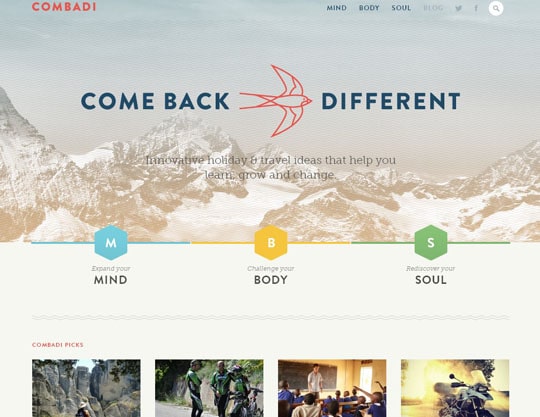
Example of a site incorporating beautiful imagery.
Some home pages are all images: a big photo, a slogan and a few buttons. They can look great, but Google reads text to understand what a site is about. If your home page says almost nothing, Google has little reason to rank it. Make sure it explains clearly what you do, for whom and where, in plain words.
Text matters, but so do visuals. Photos and videos make a page easier to read and help keep visitors on it. Each image is also a chance to add descriptive alt text, which helps Google understand the image and helps people using screen readers.
Use your own photos where you can (a local photographer is worth the money), or licensed stock photos such as iStock.
If someone can’t find what they want quickly, they head back to Google and try another site. Organise your menu into sensible categories, keep important pages one or two clicks from the home page, and make the next step obvious on every page. If your bounce rate is high, navigation is one of the first things to check.
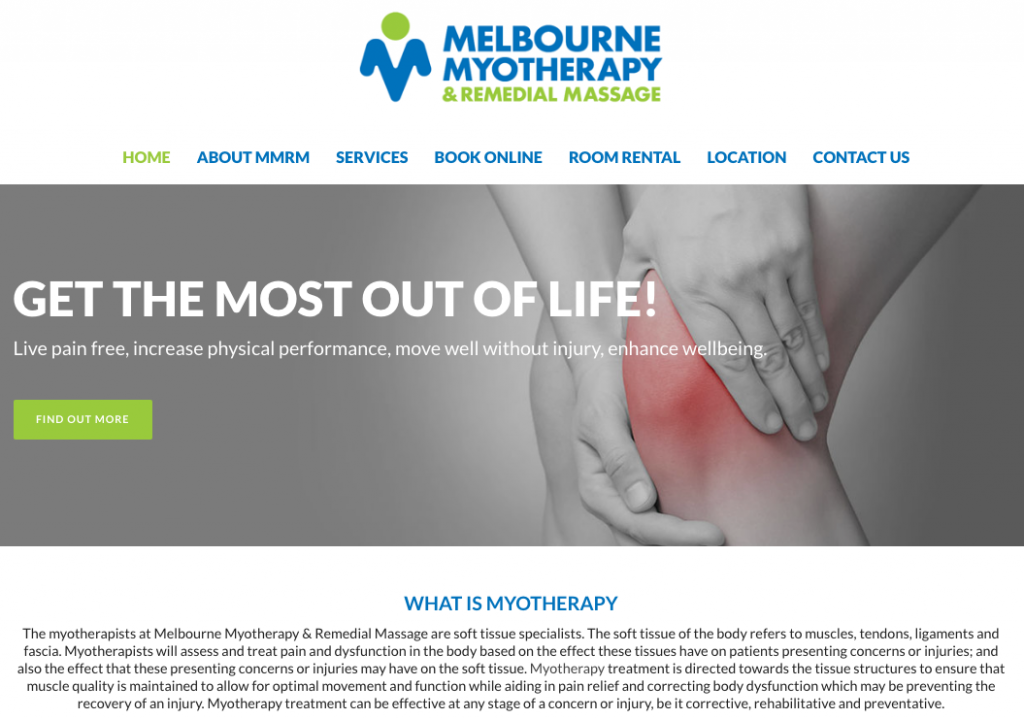
An easy-to-navigate website by Melbourne Myotherapy.
If you link to other websites (and you should), some of those links will break over time as pages move or sites close. Broken links frustrate visitors and waste the trust you’ve built. Check your site every few months with a site audit tool or a free checker such as Dead Link Checker, and fix or remove what it finds. Our guide to fixing broken links walks through it.
Links from other websites (backlinks) are one of the ways Google judges whether a site is trustworthy and well known. A great website that nobody links to will struggle to rank. Tools such as Moz’s Link Explorer show which sites link to you now.
The best way to earn links is to publish things worth linking to, then tell relevant people about them: local organisations, suppliers, industry associations and other businesses you work with. Writing a guest article for a relevant site is another option. Our article on backlinks explains what makes a good one.
Once you know which keywords you want to rank for, it’s tempting to drop them in everywhere. Don’t. Repeating a phrase over and over, or forcing in search-style phrases that aren’t grammatical, makes pages read badly, and Google’s spam policies treat keyword stuffing as a problem. Write naturally for the reader, use the keyword where it fits, and use variations and related terms elsewhere.
The meta description is the short summary that can appear under your page title in Google. If you leave it blank, Google picks text from the page, which may not explain the page well or encourage a click. Write a unique description for every page and post, around 150 to 160 characters, that tells people what they’ll get. An SEO plugin such as Yoast SEO makes this easy on WordPress.
Every page should have one main heading (the H1), usually the page’s name. Below that, use subheadings (H2, H3) to break the page into clear sections, like an outline. Headings help readers skim and help Google understand the structure of the page. Don’t put long sentences into headings just to make text bigger: that’s what styling is for.
Most of these mistakes are quick to fix once you know they’re there. If you’d like someone to check your site and sort them out, our SEO team in Mildura can help. Contact us to learn more.
A marketing team that has helped businesses across Sunraysia and the Mallee since 2017, from our office on Deakin Avenue in Mildura.
Keep reading
How to get a .com.au domain: eligibility, choosing a name, registering it, WHOIS privacy and the .au direct option if you have no ABN.
A plain-English guide to WCAG 2.2: what the guidelines say, what Level AA means, whether it is required in Australia and how to check your website.
Shopify or WooCommerce? A fair comparison of costs, transaction fees, hosting, speed, SEO and control, and how to decide which suits your store.

Let’s start by scheduling a free discovery call so we can get to know each other and see if we’re a good fit for your marketing needs.