
Digital Marketing News
Small Business Grants in Australia That Can Fund Marketing
How to find and apply for small business grants in Australia, what they can pay for, and when marketing can be part of a funded project.
GA4 (Google Analytics 4) is Google’s free tool for measuring what people do on your website and app: where they come from, which pages they read and whether they call, book or buy. It replaced Universal Analytics in 2023. This GA4 guide shows small business owners how to set it up properly and find the numbers that matter.
What is Google Analytics 4? It’s the current version of Google Analytics, built around events rather than page hits. Every action a visitor takes (opening a page, scrolling, clicking a phone number, submitting a form) is recorded as an event, so one property can measure a website and an app together.
Google’s older version, Universal Analytics, stopped collecting data in July 2023, and Google says access to its historical data ended from July 2024 (Google Analytics Help). If your website still has an old “UA-” tracking code and nothing else, it hasn’t recorded a visit since then.
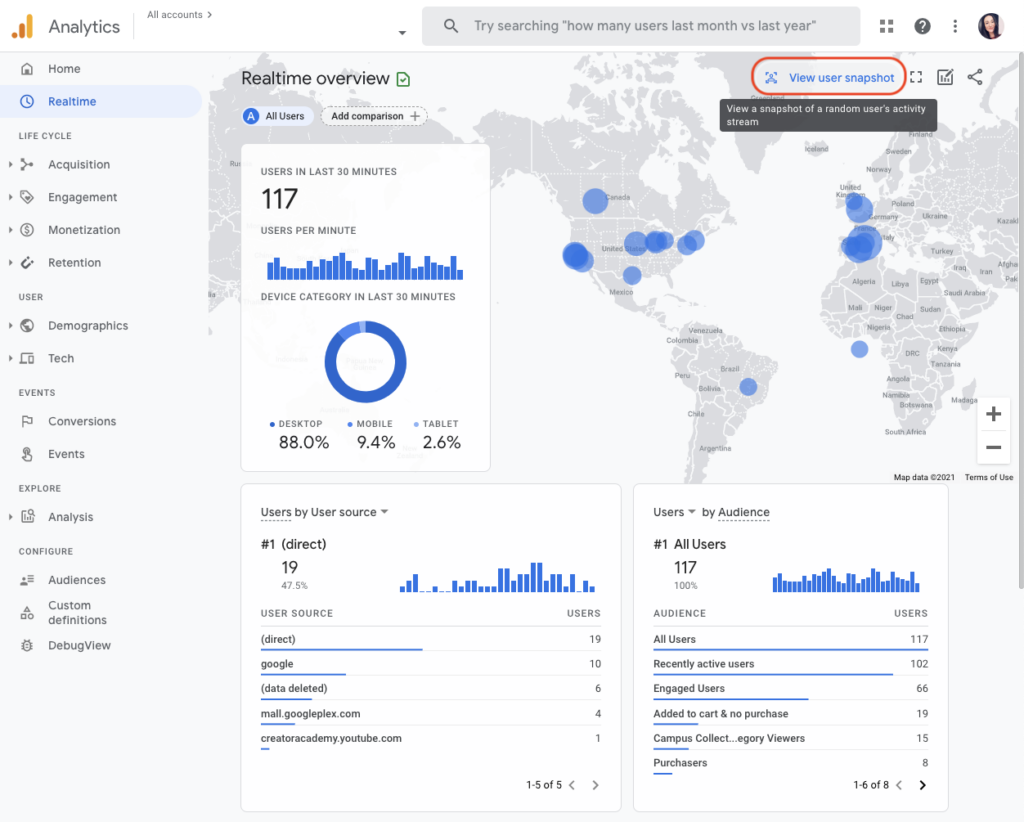
The main benefits of Google Analytics 4 for a small business are:
So why Google Analytics 4 rather than a paid analytics tool? For most local businesses it does everything you need, it connects directly to Google Ads, and your web developer or marketing team will already know it.
Setting up GA4 is a short job if you can edit your website. You need a Google account and access to your site’s settings or code.
Standard reports can take a day or two to fill in after setup, so don’t worry if they look empty at first. Under the Privacy Act 1988, your privacy policy should say that your site uses analytics (the Australian Privacy Principles set out what to tell people). Your business stays responsible for its own compliance.
Google Analytics 4 events come in four kinds (Google’s guide to events):
The events that matter most to your business should be marked as key events (Google renamed “conversions” to key events in 2024). For most service businesses, those are enquiry form submissions, phone clicks and bookings. Our conversion tracking work sets these up and checks they fire once, not twice.
Most owners only need six numbers. Here’s where each one lives in the left-hand menu under Reports.
Go to Reports, then Engagement, then Pages and screens. The Views column is your page views for each page. Change the date range at the top right to compare months.
Bounce rate isn’t shown by default. Open a report such as Pages and screens, click the pencil icon (Customise report), choose Metrics, add Bounce rate, then apply and save. A bounce is a session that wasn’t “engaged”: it lasted under 10 seconds, had no key event and only one page view (Google’s definition).
Go to Acquisition, then Traffic acquisition. Change the table’s first column to Session source / medium and look for rows ending in “/ referral”: those are the other websites sending you visitors, such as a local directory or a supplier’s site.
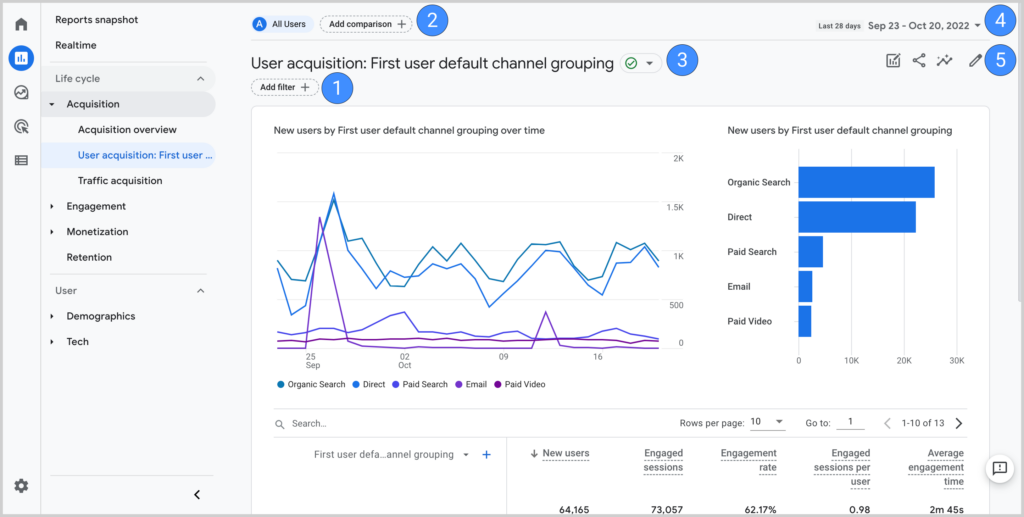
Open Retention. The first chart splits new users from returning users over time. For more detail, build an exploration (below) with the New / established dimension.
UTM parameters are the tags you add to a link (utm_source, utm_medium, utm_campaign) so your reports show it came from, say, your newsletter or a Facebook post. In Traffic acquisition, change the first column to Session campaign for utm_campaign, or Session source / medium for the other two.
Click Explore in the left menu and start a Blank (free form) exploration. Add the dimensions (such as page title or city) and metrics (such as views or key events) you want, then drag them into rows and values. Explorations are saved to your account, and anyone you share them with can open them.
Once a filter is active, the change is permanent for new data, so test first (Google’s internal traffic guide).
Google already excludes traffic from known bots and spiders, and says this can’t be switched off (known bot-traffic exclusion). If you still see junk visits from one source, leave that source out of your reports with a filter or comparison, and ask your web host about blocking it at the firewall.
In Admin, open Property access management, click the plus button and choose Add users. Enter the person’s email address, pick a role and click Add (Google’s access guide). Give your marketing agency or developer the role they need: Viewer or Analyst to read reports, Editor to change settings. Keep Administrator for yourself, so the property stays in your business’s name.
When a business gives us access to its analytics, we work through the same short list before we read a single number:
Fixing those first is what makes the monthly numbers worth reading. It’s also how our SEO reporting ties rankings to real enquiries.
Google Analytics is Google’s free website and app measurement service. It shows how many people visit, where they come from, what they look at and what they do. Its current version is GA4. You add a small tag to your site, and the reports fill in within a day or two.
Yes, the standard version is free for any business. Google sells an enterprise version, Analytics 360, with higher limits and longer data retention, but a small or medium business doesn’t need it. The only cost is the time to set it up properly, or paying someone to do it.
It keeps detailed event data for 2 months unless you change it to 14 months in Admin, under Data retention. Standard reports (traffic, pages, acquisition) aren’t affected by this setting, but explorations are, so change it on day one.
Each tool counts differently, so small gaps are normal. Analytics doesn’t count visitors who decline cookies where a consent banner blocks tracking, it excludes known bots, and it may filter your own office visits. A large gap often means the tag is missing from some pages.
Rock Solid Marketing sets up Google’s measurement tools (Analytics, Search Console and Tag Manager) for $800 + GST. Extra conversion tracking, such as call or booking events, is priced to the job. If you’re happy following the steps above yourself, you may not need us.
GA4 is free, it’s the only version of Google Analytics that still records data, and a correct setup takes less time than most people think. Set retention to 14 months, filter your own traffic, mark your enquiries as key events and check your numbers monthly.
If you’d rather have it set up and reported for you, our marketing partnerships cover reporting and a monthly meeting, or contact our Mildura team for a one-off setup.
A marketing team that has helped businesses across Sunraysia and the Mallee since 2017, from our office on Deakin Avenue in Mildura.
Keep reading
How to find and apply for small business grants in Australia, what they can pay for, and when marketing can be part of a funded project.
Sales funnel stages explained for small businesses: a worked example, how to build a funnel, the metrics to track and where most leads are lost.
How to choose the right marketing agency for your business, with the questions to ask, red flags to avoid and what agencies typically cost.

Let’s start by scheduling a free discovery call so we can get to know each other and see if we’re a good fit for your marketing needs.