SEO
How to Rank Higher on Google: A Small Business Guide
How to rank higher on Google, step by step: choose the right searches, improve your pages, fix technical problems, earn trust and measure what works.
In an ideal world, we could just set up a WordPress site and it would magically take care of itself. Wouldn’t that be nice?
The reality, though, is that websites require maintenance. Here are some easy things you should be doing to optimise your WordPress website after the web design stage that will make a big difference in its performance and SEO rankings.
You know those pesky little notices that pop up on your WordPress dashboard, asking you to update this or that? Stop ignoring them and start heeding their commands.
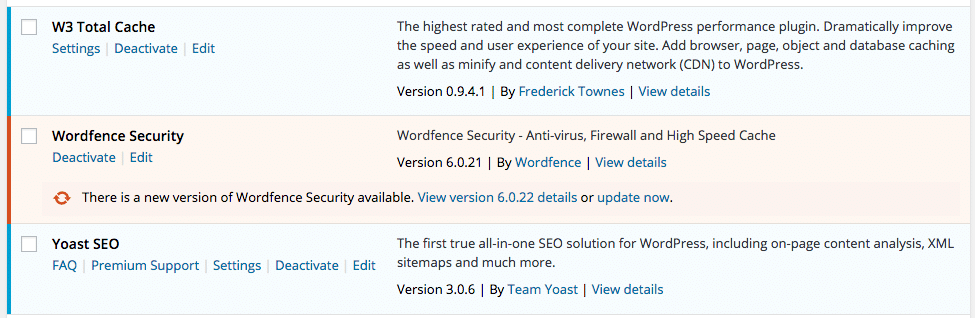
Keep your WordPress plugins updated.
You should only have plugins installed that are currently active (i.e. are in use on your site) or may be active in the near future. As for the rest: deactivate and delete them. Having too many plugins installed can slow down your WordPress site or potentially cause issues.
Before you upload an image to your WordPress website, make sure you resize it so that it’s smaller than the original file. It’s not uncommon for images to be 10 to 20 megapixels straight out of your camera, which equates to large file sizes and images sized from 3000 pixels and up on the long edge. You’ll rarely need images this large for your website. Instead, try resizing them to about 1024 pixels on the long edge, or however wide the section on your website is that will contain these images.
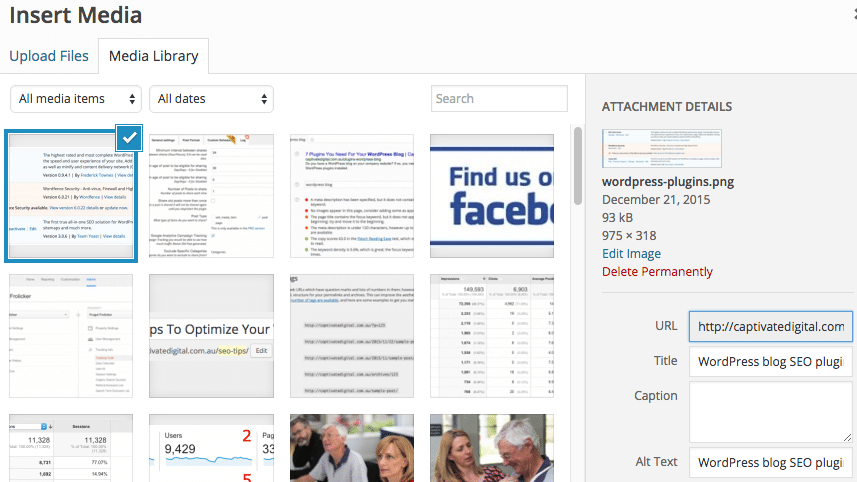
Optimising images on your WordPress site
There are a couple things you can do to optimise images so that your website shows up on Google for your keyword phrases:
A marketing team that has helped businesses across Sunraysia and the Mallee since 2017, from our office on Deakin Avenue in Mildura.
Keep reading
How to rank higher on Google, step by step: choose the right searches, improve your pages, fix technical problems, earn trust and measure what works.
A free SEO checklist for new and existing websites, with technical, on-page, content and local checks, plus how to check your SEO with free tools.
What is schema markup, what is it used for, does it help SEO, and how do you add it? A plain English guide to structured data for small business websites.

Let’s start by scheduling a free discovery call so we can get to know each other and see if we’re a good fit for your marketing needs.