SEO
How to Rank Higher on Google: A Small Business Guide
How to rank higher on Google, step by step: choose the right searches, improve your pages, fix technical problems, earn trust and measure what works.
All in One SEO vs Yoast: for most small business websites, either will do the job well, and so will Rank Math. All three free versions handle the basics: page titles and meta descriptions, XML sitemaps, schema markup and a content checklist. The differences are in the interface, which extras are free, and what the paid versions cost. Pick the one you find easiest, set it up properly, and use only one.
An SEO plugin doesn’t do SEO for you. It gives you the controls. What you write, and how you structure your pages, still decides how you rank.
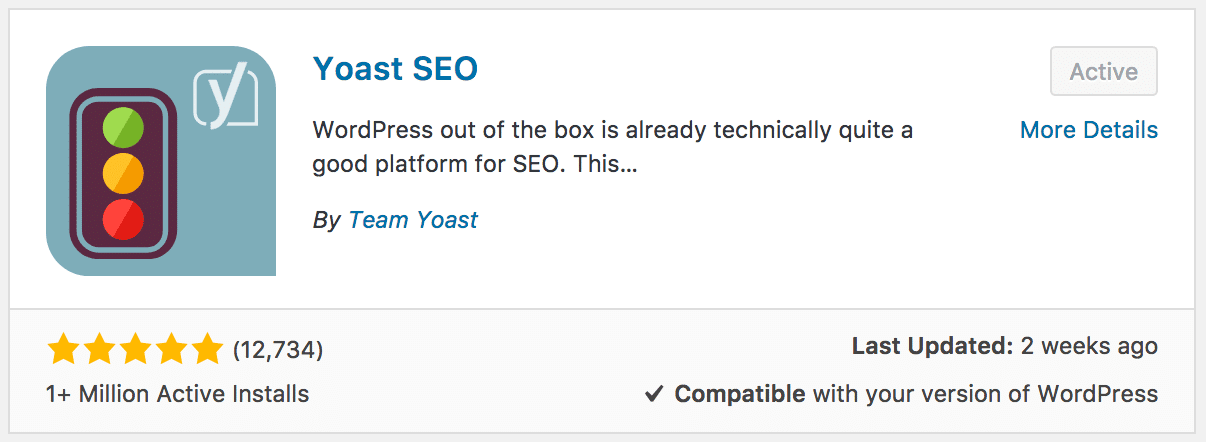
Yoast SEO is a WordPress plugin that adds SEO settings to every page and post. Below the editor you get a box where you set the page’s SEO title, meta description and focus keyphrase, plus two checklists: an SEO analysis (is the keyphrase in the title, the first paragraph, the headings?) and a readability analysis (sentence length, paragraph length, subheadings). In the background it creates an XML sitemap, adds structured data that tells Google who you are, and lets you hide pages from search results.
All in One SEO (AIOSEO, once called All in One SEO Pack) and Rank Math work the same way: settings per page, a scoring checklist and site-wide technical settings.
Here is how the free versions compare at the time of writing (November 2026). Plugins change often, so check each plugin’s own site before you decide.
| Feature | Yoast SEO (free) | All in One SEO (free) | Rank Math (free) |
|---|---|---|---|
| Titles, meta descriptions, XML sitemap | Yes | Yes | Yes |
| On-page SEO checklist | Yes, plus a readability check | Yes (TruSEO score) | Yes (score out of 100) |
| Focus keywords per page | 1 (more in Premium) | 1 (more in paid plans) | Several |
| Redirect manager | Premium only | Paid plans | Included |
| Set-up wizard | Yes | Yes | Yes |
| Best for | Beginners who want clear guidance | Owners who like a guided, dashboard-style tool | Owners who want more features free |
Older comparisons of Yoast vs All in One SEO Pack (and of All in One SEO Pack Pro vs Yoast) refer to the plugin’s former name and paid version. The plugin has been rebuilt since, so reviews from before about 2020 are out of date.
Neither is better for every site. Yoast SEO vs All in One SEO comes down to how you like to work:
We first compared All in One SEO Pack vs Yoast years ago and preferred Yoast for its tidier interface and its page-by-page content analysis. Yoast is still the plugin we set up most often on the WordPress sites we look after, but either is a sound choice.
Rank Math vs Yoast is a closer contest than it used to be. Rank Math’s free version includes features Yoast keeps for Premium, such as several focus keywords per page and a redirect manager, so on paper it gives you more for nothing. Yoast is simpler and less cluttered, which many business owners prefer.
People searching for Rank Math SEO vs Yoast often want to know whether to switch. If your current plugin is set up and working, switching rarely improves rankings on its own. Both plugins offer import tools if you do decide to change.
Yes, if you run a WordPress website and want an easy way to control how your pages appear in Google. It’s free, well supported and simple to learn. Don’t install it alongside All in One SEO or Rank Math: two SEO plugins create duplicate tags and conflicting settings.
For more, see our guide to the Yoast SEO plugin and our SEO checklist for blog posts.
Yes, as a tool. Yoast makes it easy to set titles, descriptions, sitemaps and structured data correctly, which Google needs. It can’t make a page rank by itself: a green score only means you’ve ticked its checklist. Useful content, a fast site and links from other websites still do the heavy lifting.
Yoast’s own Yoast SEO Premium page lists it at US$118.80 a year (excluding VAT) for one site, as of November 2026. Premium adds extras such as more keyphrases, a redirect manager, internal linking suggestions and AI help with titles and descriptions. The free version is enough for most small businesses.
All in One SEO has a free version and paid plans. Its pricing page lists the Basic plan at US$49.50 for the first year, renewing at US$99 a year, as of November 2026. Prices change often, so check before you buy.
Yes. Rank Math has a free version in the WordPress plugin directory, and paid PRO plans with extra features. Its free version is generous, which is why many people compare it with Yoast Premium rather than Yoast’s free version.
No. Running two SEO plugins usually means duplicate title tags, two sitemaps and settings that fight each other. Pick one, remove the other, and use the plugin’s import tool to bring your existing titles and descriptions across.
All in One SEO, Yoast and Rank Math all do the SEO basics well. Choose the one you find easiest, install only one, and spend your time on the content. If you’d like it set up properly, our WordPress SEO team can configure the plugin and the rest of your site’s SEO, and our SEO plans cover the ongoing work.
A marketing team that has helped businesses across Sunraysia and the Mallee since 2017, from our office on Deakin Avenue in Mildura.
Keep reading
How to rank higher on Google, step by step: choose the right searches, improve your pages, fix technical problems, earn trust and measure what works.
A free SEO checklist for new and existing websites, with technical, on-page, content and local checks, plus how to check your SEO with free tools.
What is schema markup, what is it used for, does it help SEO, and how do you add it? A plain English guide to structured data for small business websites.

Let’s start by scheduling a free discovery call so we can get to know each other and see if we’re a good fit for your marketing needs.