SEO
How to Rank Higher on Google: A Small Business Guide
How to rank higher on Google, step by step: choose the right searches, improve your pages, fix technical problems, earn trust and measure what works.
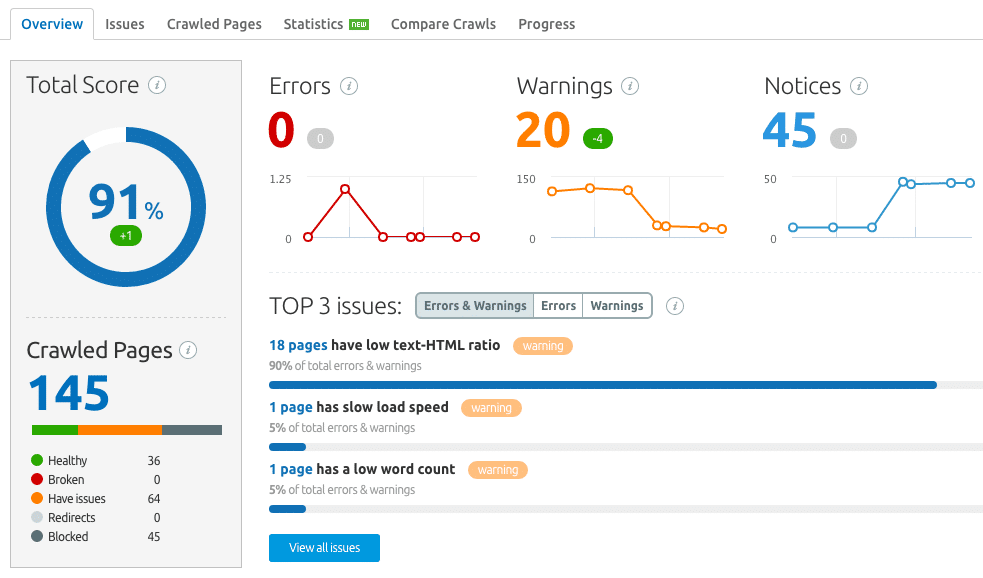
What is technical SEO? It's the behind-the-scenes work that helps search engines find, crawl, index and understand your website: site speed, mobile friendliness, security, site structure, sitemaps, redirects and structured data. Good content can't rank if Google can't reach it or the site is too slow to use. Technical SEO makes sure the foundations work so your content and links can do their job.
The technical SEO meaning is simple. Technical SEO means optimising the way your website is built and served, rather than the words on the page. If SEO is a shop, content is the stock and links are the word of mouth. Technical SEO is the building: the doors open, the lights work and customers can find every aisle.
In digital marketing, technical SEO for websites sits alongside two other parts of SEO:
The core technical SEO elements are:
| Element | What it does |
|---|---|
| Crawling | Lets search engine bots reach every important page, guided by robots.txt and internal links |
| Indexing | Makes sure the right pages are in Google's index, and duplicates or thin pages aren't |
| XML sitemap | Lists the pages you want found, so Google doesn't miss them |
| Site speed | Fast loading pages, measured by Google's core web vitals |
| Mobile friendliness | Google mainly looks at the mobile version of your site |
| HTTPS security | An SSL certificate so the site loads securely |
| Site structure and URLs | Clear, short addresses and a logical menu |
| Redirects | 301 redirects from old addresses to new ones, so links and rankings carry over |
| Canonical tags | Tell Google which version of a page is the main one |
| Structured data | Schema markup that describes your business, products or articles to search engines |
Because the rest of your SEO depends on it. A page Google can't crawl won't be indexed, and a page that isn't indexed can't rank, however good it is. Technical problems also hurt visitors directly: slow pages, broken links and layouts that don't work on a phone send people back to the search results.
Technical problems often hide for months. A site can look fine to its owner while a setting quietly tells Google not to index it, or a redesign breaks hundreds of old links.
These are the technical SEO issues that turn up most often:
No, though they overlap. Technical SEO vs on-page SEO comes down to what you're changing. On-page SEO is about each page's content: the words, headings, page titles and images. Technical SEO is about the site as a whole: how it's built, how fast it loads and how search engines move through it. Some tasks, such as internal linking and structured data, sit in both.
This short technical SEO tutorial covers the first steps any business can take:
A few extra technical SEO tips: change one thing at a time so you know what worked, keep a list of every redirect, and recheck after any website update.
The technical problems we find on small business websites in Mildura and the region are rarely exotic. The most common are sites rebuilt without redirects from the old page addresses, photos uploaded at full camera size, and WordPress sites carrying plugins and themes nobody uses. We also see sites where a "discourage search engines" box was ticked during the build and left on.
Most of these take hours, not weeks, to fix once they're found. Our technical SEO service finds and fixes them, and our SEO plans include technical SEO such as robots.txt and the sitemap every month.
Technical SEO includes crawling, indexing, XML sitemaps, robots.txt, site speed, mobile friendliness, HTTPS, site structure, redirects, canonical tags and structured data. It covers how a site is built and served rather than what each page says.
Yes, but it's usually a smaller job. A 10 page site has fewer things to go wrong than a large online store. The basics still matter: it must be indexable, fast, secure and work on phones.
Many checks are do-it-yourself with free tools like Google Search Console and PageSpeed Insights. Fixes that involve code, hosting, redirects across a whole site or a domain change are safer with a developer or SEO specialist.
Check Search Console monthly for new errors, and run a full check after any redesign, platform change or domain move. Those are the moments when technical problems usually start.
The big fixes often are, but websites change. New pages, plugins and updates can create new problems, so regular checks are part of ongoing SEO.
Not sure whether your site has technical problems? Contact Rock Solid Marketing and we'll check the basics with you.
A marketing team that has helped businesses across Sunraysia and the Mallee since 2017, from our office on Deakin Avenue in Mildura.
Keep reading
How to rank higher on Google, step by step: choose the right searches, improve your pages, fix technical problems, earn trust and measure what works.
A free SEO checklist for new and existing websites, with technical, on-page, content and local checks, plus how to check your SEO with free tools.
What is schema markup, what is it used for, does it help SEO, and how do you add it? A plain English guide to structured data for small business websites.

Let’s start by scheduling a free discovery call so we can get to know each other and see if we’re a good fit for your marketing needs.